
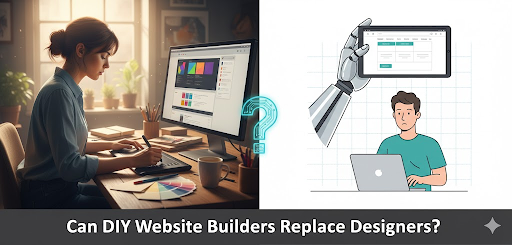
Want-to-be web designers Wix, Squarespace, and WordPress.com are web development rebels; they empower anyone to build a web presence in a couple of hours without knowing code, but equality is not their goal.
Empowerment for newbies is their strength, but when it comes to personalized Website Design Services, web development solutions, search engine optimisation, and scalability, they are consistent overachievers for underachievers.
Think you can template your way to market domination? Luck will be with you.
When DIY Builders Actually Make Sense
Let’s give it some fairness. DIY solutions aren’t completely pointless. They rock for unofficial tasks when speed overpowers functionality.
You’ll spend $10-30 monthly instead of $5,000+ for custom development. You’ll launch in hours, not weeks. And if your biggest design challenge is choosing between “modern minimal” and “creative bold” templates, DIY platforms deliver exactly what you need.
The Cost Argument (And Why It’s Misleading)
Yes, DIY is cheaper upfront. Monthly subscription fees beat agency retainers every time, on paper.
But here’s what the pricing calculators don’t tell you: templates create generic looks that obliterate brand identity. Your site looks like 10,000 others using the same Wix theme. Limited customisation means you can’t build unique layouts or add bespoke animations without hacking template code or paying for premium plugins that add up fast.
| Cost Factor | DIY Reality | Pro Design |
| Initial investment | $120-360/year | $5,000-15,000 |
| Hidden costs | Premium plugins, rework | Minimal if scoped right |
| Time to launch | 4-12 hours | 2-6 weeks |
| Template limitations | Constant workarounds | Zero, built for your needs |
That $20 monthly plan turns into $50 once you add e-commerce, better analytics, email integrations, and remove platform branding. Meanwhile, you’re spending 15 hours wrestling with a builder that still won’t do exactly what you envisioned.
Where Professional Designers Destroy DIY Solutions
Now we get to the interesting part, where DIY builders don’t just underperform, they actively hurt your business.
Professional designers craft pixel-perfect, mobile-first sites optimised for speed and search engines. They write custom code, integrate complex systems (CRMs, payment processors, inventory management), and handle accessibility beyond checking a “WCAG compliant” checkbox.
The Performance Gap Nobody Talks About
DIY sites are bloated. Average load times hit 3-5 seconds because templates include code for 100 features you’re not using. Every unused script, oversized image, and redundant CSS file slows your site down, and Google’s algorithm notices.
Professional sites load in under 2 seconds with clean, optimised code. That difference isn’t academic. Pages loading in 1-2 seconds convert 3x better than those taking 5+ seconds. Your bounce rate drops 30% when users don’t wait around watching loading spinners.
SEO: Where DIY Hits a Hard Ceiling
Basic SEO plugins give you meta titles and descriptions. Maybe some schema markup if you’re lucky. That’s where DIY platforms stop.
Professionals implement full schema vocabularies, custom meta strategies for every page type, advanced internal linking architectures, and technical optimisations that plugins can’t touch. They optimise images properly (not just resizing them), implement lazy loading intelligently, and structure content for featured snippets.
User Experience and Trust (The Invisible Differentiators)
Here’s what separates template sites from designed ones: psychology.
Professional designers understand UX patterns that build trust, button placement based on eye-tracking studies, colour psychology that drives conversions, and layout hierarchies that guide users through conversion funnels without friction.
DIY templates use generic best practices from 2020. They look fine, but don’t perform. Users sense the difference even if they can’t articulate why your competitor’s site feels more credible than yours.
The Real Performance Comparison
Stop guessing. Here’s the actual difference between DIY and professional execution across metrics that matter:
| Metric | DIY Builders | Professional Design |
| Average load speed | 3-5 seconds (bloated code) | <2 seconds (optimised) |
| SEO control | Basic plugins, template limits | Full schema, custom meta, AI optimisation |
| Customization scope | Template-bound | Fully bespoke |
| Mobile UX | Responsive but generic | Device-specific testing and optimisation |
| Long-term costs | Hidden fees, frequent rework | Higher upfront, lower total cost of ownership |
Why “Responsive” Isn’t Good Enough Anymore
Every DIY platform brags about responsive templates. Congratulations, your site doesn’t completely break on mobile. Want a medal?
Responsive means content reflowing to fit screens. Device-specific optimisation means testing on actual devices, adjusting touch targets for thumb zones, optimising gesture interactions, and ensuring forms don’t torture mobile users with desktop-sized input fields.
When to Choose Each Approach (And Stop Lying to Yourself)
Use DIY builders when you’re testing ideas on shoestring budgets, running simple portfolios, or launching temporary event pages. Startups validating concepts before serious investment? DIY makes sense. Solopreneurs with under $1,000 annual budgets? Sure.
When Professional Design Becomes Non-Negotiable
Scaling e-commerce beyond 50 products? You need custom. SaaS platforms handling user data? Don’t even think about DIY. Lead-generation sites targeting 10x traffic growth? Template sites will crumble under that load.
If your business model depends on web performance, conversions, user retention, data handling, integrations with enterprise tools, DIY builders aren’t capable of supporting that architecture. They weren’t designed for it.
What’s Actually Changing (And What Isn’t)
By 2026, AI tools embedded in platforms will generate near-custom sites from conversational prompts. Design systems will auto-optimise for user behaviour. Voice search and AR/VR web experiences will demand new specialisations.
Yet demand for professional designers keeps growing, just in different directions. Generic brochure sites? Sure, AI handles those. Immersive experiences, complex web applications, and brand-critical implementations? Those still need human expertise.
The Decision Framework Nobody Gives You
Ask yourself three questions before choosing:
- What’s the cost of failure? Landing page for a weekend workshop? Low stakes, DIY works fine. E-commerce site for your full-time income? High stakes, hire professionals.
- How competitive is your market? Niche hobby blog? The template is plenty. Competitive local services or national e-commerce? Custom design isn’t optional; it’s survival.
- What’s your growth timeline? Testing an idea for 3 months? Don’t over-invest in custom. Building for 3+ years of growth? Template limitations will strangle you long before year three.
Most businesses lie to themselves on question three. They claim they’re “just testing” when they’re actually launching their primary business, often overlooking the need for a professional web redesign agency to solidify their presence. Don’t confuse conservative budgeting with smart strategy.
The Final Thoughts
It can’t, not for work that matters. Different tools, different use cases, different outcomes. DIY builders solve the problem of “I need a website that exists.” Professional designers solve the problem of “I need a website that performs, converts, and scales.”
If you can’t articulate why you need the second problem solved, stick with DIY. If your business depends on web performance, stop pretending templates will get you there.
The gap is narrowing for simple sites. It’s widening for everything else. Choose accordingly, and stop expecting $20/month to deliver $5,000 results.